

AI Assistant
The AI Assistant helps solve your questions, such as: command errors, shell script writing, etc.
💡Tip: AI does not currently support answering questions about software features. For issues related to software usage, please contact online customer support.
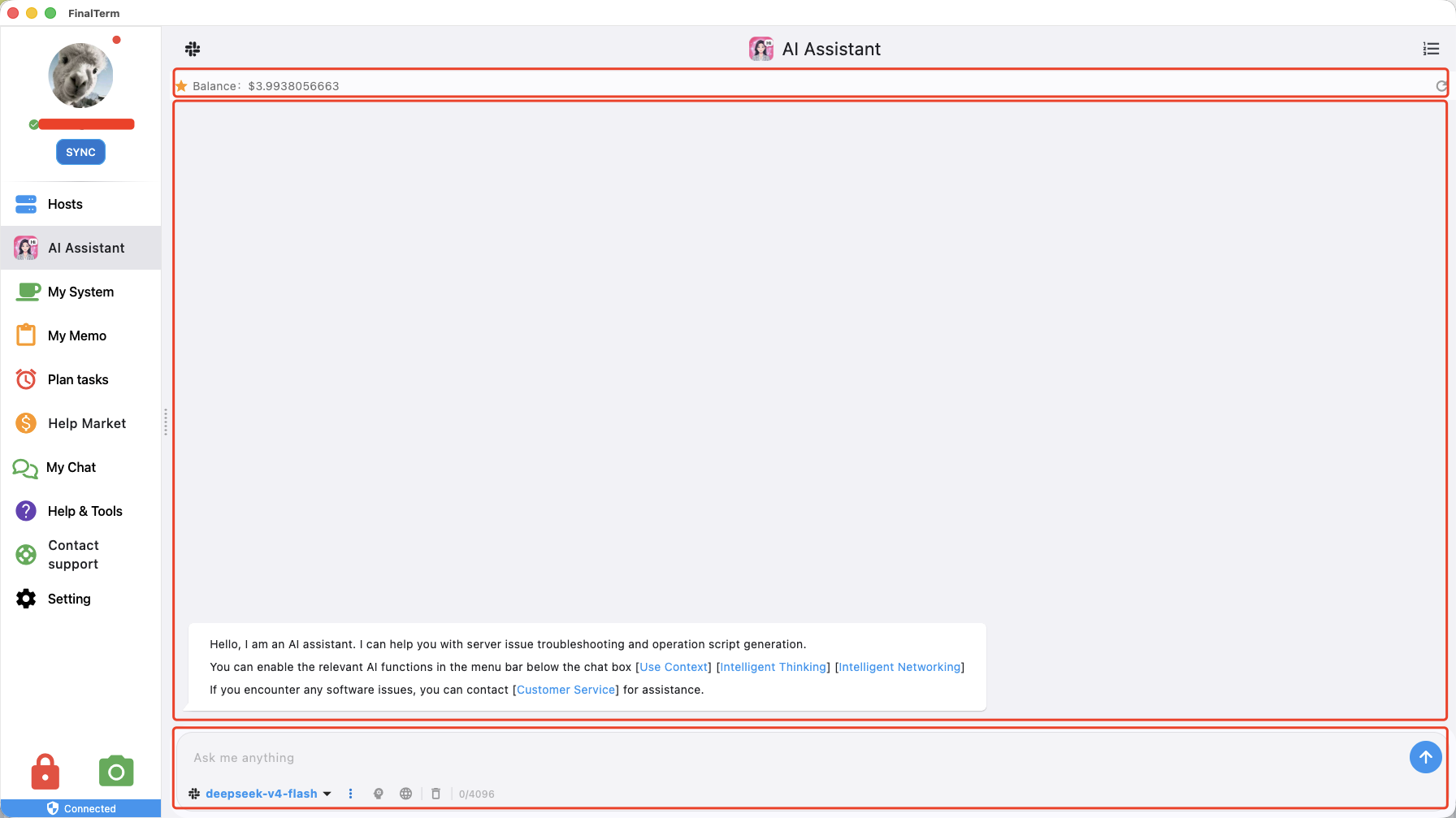
Chat Function Area

- Displays the currently used AI model. Click the model name to switch AI models. AI models are updated periodically.
- Toggle button for context — when enabled, your questions will be associated with the context of previous chat history.
💡Tip: Context is enabled by default.
- Toggle for deep thinking — when enabled, the AI takes longer to think and provides more accurate answers.
- Toggle for smart web search — when enabled, the AI will perform web searches when needed. For example, today's weather.
- Clear current chat content button — click to clear all chat content in the central chat area.
- Send button — press Enter after typing or click this button to send.
Send to Current Server with One Click
Right-click on the chat content. If you currently have an SSH server open, a "Send to Current Server" menu will appear, allowing you to send the selected content to the SSH server for execution with one click.