

Process Viewer
View and manage current system processes, including paths, launch arguments, environment variables, parent-child relationships, ports, and more.
Process List
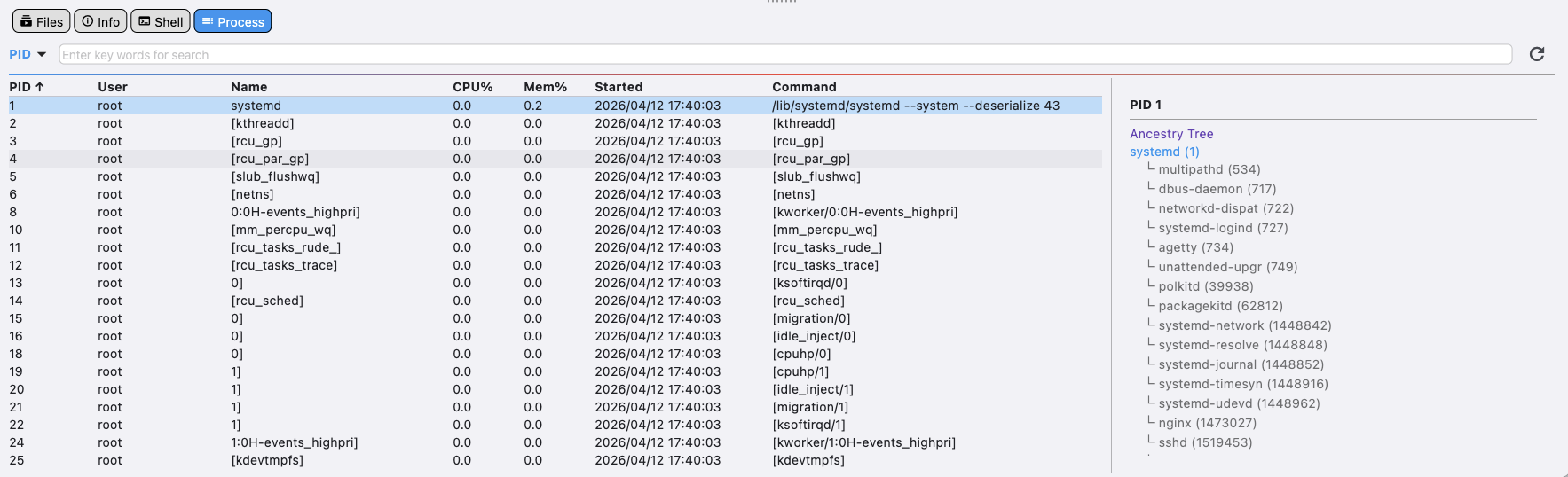
- Select a search field from the left dropdown, then enter the corresponding keyword in the input box to filter related process information.
- The list displays current system process information. Refresh manually.
- Click an item to view the process tree on the right. Double-click an element in the process tree to enter the detailed information for that process.
- Double-click the process to enter the process detail page.
Process List Right-Click Menu
View Details
Enter the detail page for the corresponding process.
kill -9
Kill the process.
Refresh
Refresh the entire process list.
ASK AI
Send the current process information to AI for analysis and explanation.
Process Details
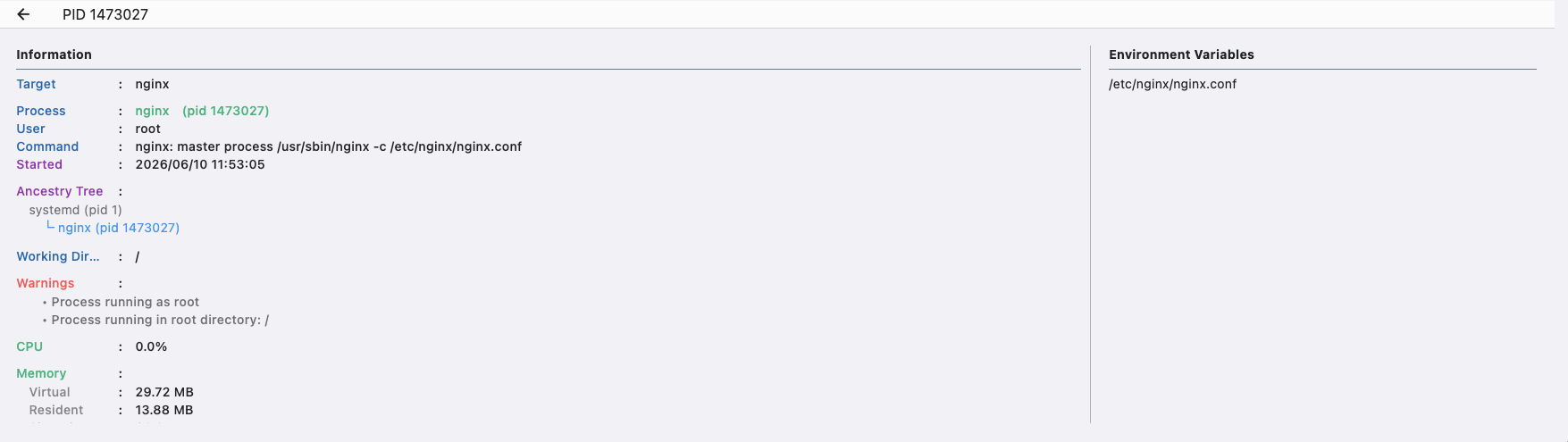
- Display more detailed process information.
- View process environment variables.
- View process owner.
- View process command.
- View start time.
- View process launch relationship tree.
- View working directory.
- View CPU usage.
- View memory status.
- View network status, bound IP and ports.
- View I/O status.
- View open files.