

Scheduled SSH Server Password Change
Function
By configuring a scheduled task, the login password of selected servers is changed periodically to ensure server security.
💡Tip: Servers configured with private keys will not be modified. 💡Tip: Scheduled tasks run on the current computer, so please do not exit the software after configuring scheduled tasks to ensure they execute on time. 💡Tip: Please do not schedule identical operations on the same server at the same time to avoid unpredictable results.
Add New
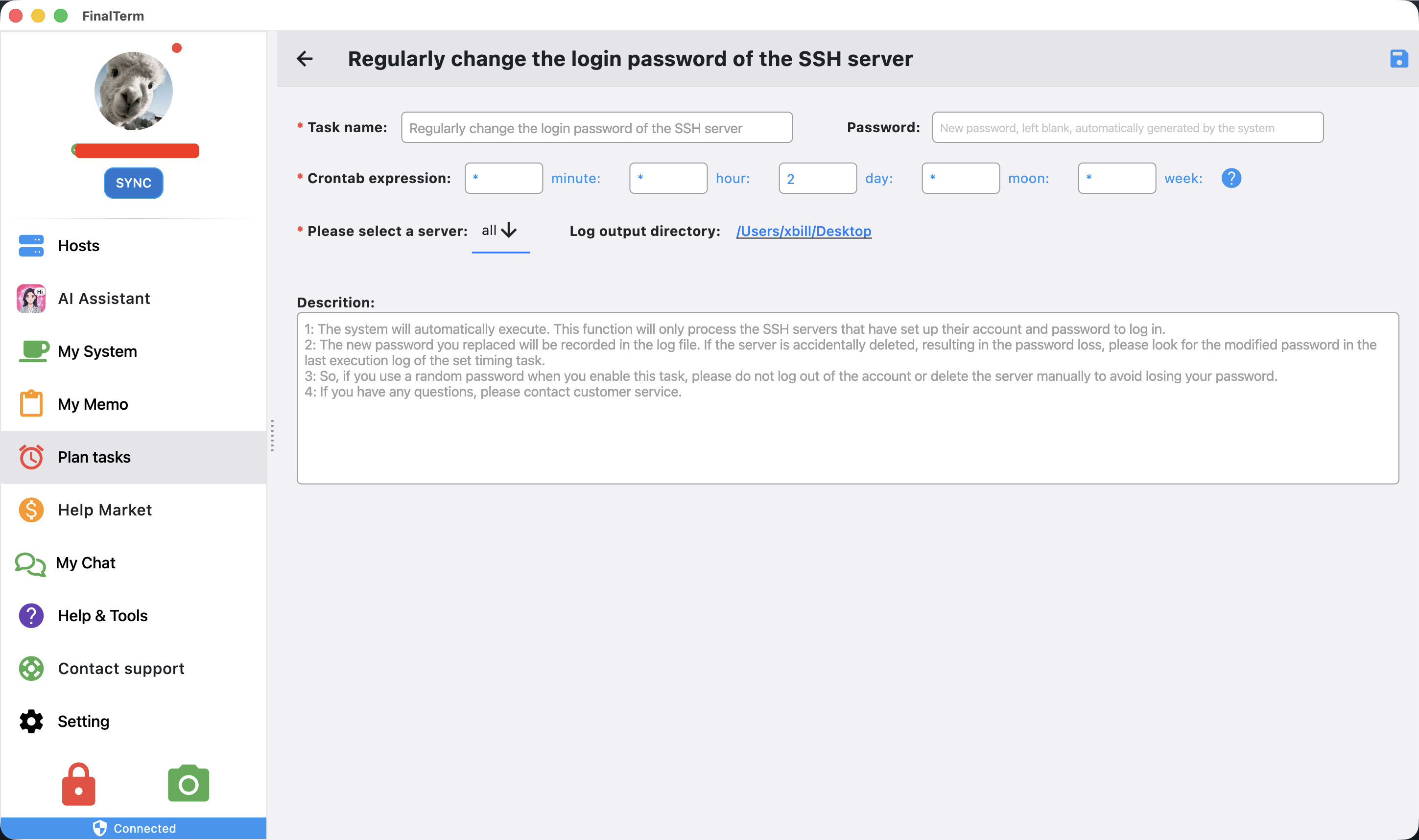
- Task name: Enter a custom task name
- Password: Enter the password you want to set. If left blank, the system will generate a random one.
💡Tip: The generated random password can be viewed in the following ways:
- The program's execution log. The save directory can be configured by yourself.
- In the server management list, you can view the corresponding password when explicitly viewing passwords.
- Execution time: Configured using a crontab expression.
💡Tip: The execution time is based on the current computer's time, not the server's time.
- Server selection: Select the servers to apply this to. By default, all configured servers are selected.
- Log save directory: Select the directory address for this scheduled task's output logs. It defaults to the output directory configured in Settings.
- Description: Provides an introduction to the usage and precautions for this task. Please read carefully.
- After configuration, click the save button in the top right corner to save.
- Return to the task list and set the enable toggle to the on position.
Execution

- The task is executed based on the current computer's time. It will start when the scheduled time arrives.
- The current execution status and results are displayed in the list.
💡Tip: Please do not perform any editing operations while the task is executing.
Menu
Edit
Click the edit button for a task to navigate to the task editing interface.
Log
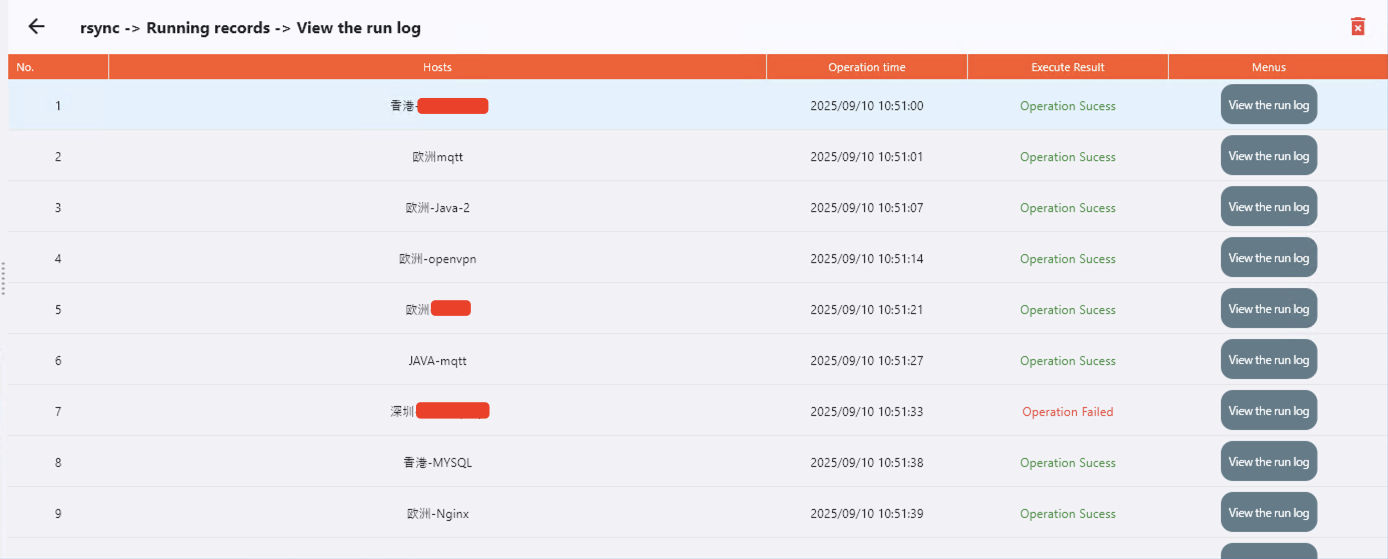
- Displays the execution list for the current task.
- Click the details button for each execution to view its details.
- The details show the execution status for each machine.
- Click view run log to display the execution log for that machine.
Delete
Delete the selected scheduled task.